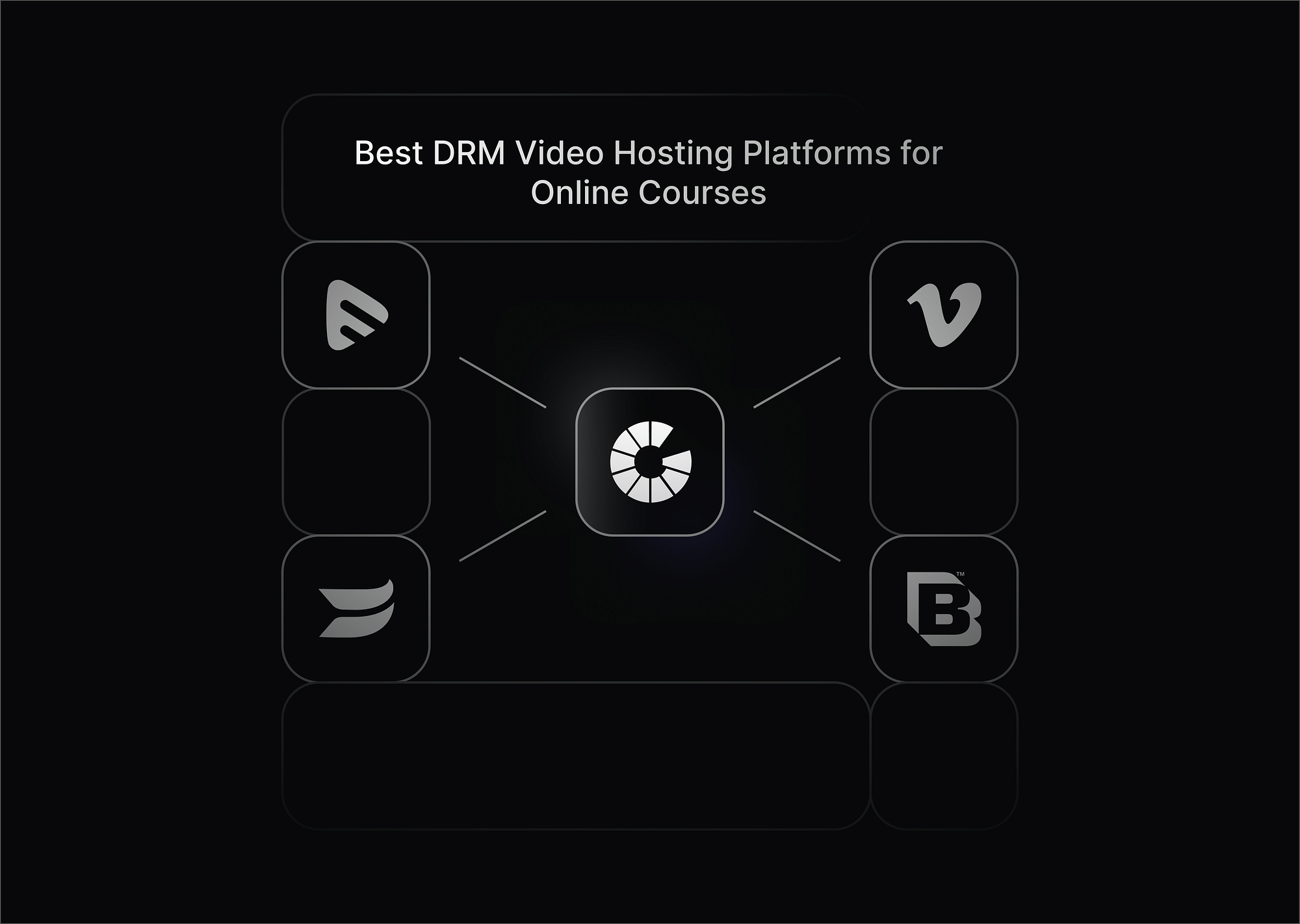
The best DRM video hosting platforms for online courses in 2026 are Gumlet, VdoCipher, Brightcove, Vimeo and Muvi Flex. All five encrypt the video file itself and issue per-device playback licences, which is what separates real DRM from password protection and unlisted links.
The right one depends on three things: whether you need both Google Widevine and Apple FairPlay to cover Android and iOS, whether your watermark needs to identify the individual student who leaked a video, and whether your LMS needs a native plugin or can work through an API.
One limitation worth knowing before you compare: DRM stops downloads and blocks screen capture on mobile, but it cannot stop someone pointing a phone camera at a monitor. That is what dynamic watermarking is for, and it is why the two are usually deployed together.
Below we compare each platform on DRM coverage, watermarking, LMS integration and price, and set out how we assessed them.
What Course Creators Should Look for in a DRM Video Hosting Platform
Not all video hosting platforms are created equal—especially when it comes to DRM. Here’s what matters most to course creators:
- Robust DRM Protection: Look for platforms that support technologies like Google Widevine, Apple FairPlay, or Microsoft PlayReady. New to the technology? Start with how video DRM works and which providers support it.
- LMS Integration: Seamless connection with platforms like Teachable, Thinkific, Moodle, or custom setups.
- Analytics and Viewer Insights: Knowing how your students engage with your videos helps you refine your content.
- Adaptive Streaming and Device Compatibility: Smooth playback across devices without sacrificing security.
- Pricing That Scales: Choose a platform that fits your current needs but can grow with your business.
Password protection, unlisted links and signed URLs control who reaches the page. They do not encrypt the video file itself, which means a determined viewer with a browser extension can still pull the stream. Only DRM encrypts the file and issues a per-device playback licence, and it is the only one of these that stops downloads outright. If you are weighing the two, see how HLS AES-128 encryption differs from DRM.
How We Compared These Platforms
We assessed each platform against four criteria, in this order:
- DRM coverage. Does the platform support both Google Widevine and Apple FairPlay natively? Widevine alone leaves Safari and iOS unprotected, which for most course audiences is a meaningful gap.
- Watermarking type. Is the watermark static branding, or dynamic text that burns the viewer's email or ID into the frame? Only the second lets you trace a leak back to one student.
- LMS integration path. Native plugin, documented API, or neither. This determines whether setup takes an afternoon or a sprint.
- Pricing transparency. Is DRM available at published pricing, or only after a sales conversation?
Platforms that offer access controls but no file-level encryption are not included, because they do not meet the first criterion. Password protection, domain locking and signed URLs are useful, but they are access control, not DRM.
Best DRM Video Hosting Platforms for Online Courses
1. Gumlet
Gumlet is an advanced video hosting platform designed to offer a seamless experience for businesses, educators, and content creators, particularly those in the online learning industry. It combines high-quality video delivery with comprehensive security features, making it an excellent choice for course creators looking to protect their content and enhance the learning experience for students.
Key features:
- Supports both Google Widevine and Apple FairPlay, covering major browsers and devices.
- Advanced token-based authentication and signed URLs prevent unauthorized access.
- On-the-fly watermarking to deter screen recording and credential sharing.
- Adaptive Streaming: Ensures smooth, high-quality playback across devices and networks, providing an optimal learning experience for students.
- Customizable Player: Offers a customizable video player, allowing you to control branding, add interactive features, and prevent downloads.
- Analytics and Insights: Provides valuable data on viewer engagement and video performance, helping course creators optimize content.
- Scalability and Performance: Delivers fast video playback globally, even as your user base grows, with the help of a global CDN.
- Multi-device Support: Ensures quality video delivery across desktops, tablets, and mobile devices, catering to students’ learning preferences.
Additional benefits:
- Real-time video analytics let you monitor engagement metrics such as viewer drop-off, watch time, and geo-locations.
- Lightning-fast delivery via a global CDN ensures smooth playback across all bandwidth conditions.
- Seamless integration with custom LMS platforms via APIs and SDKs.
Ideal for: Technical course creators or startups that want a fast, flexible DRM solution without vendor lock-in.
2. Vimeo
While traditionally known as a creative platform, Vimeo OTT and enterprise plans offer solid DRM support. It’s a strong option for creators ready to scale their video content to wider audiences. Vimeo’s value lies in its polish and brand safety. With Vimeo OTT and Enterprise, you gain access to DRM tools that protect your content while offering a premium viewing experience.
Key DRM features:
- Multi-DRM setup with playback restrictions at the domain and geo level.
- AES encryption and HLS streaming to prevent easy video downloads.
- Login-restricted access for enrolled students or members.
Additional benefits:
- Custom-branded video players to align with your course aesthetic.
- Powerful analytics dashboard with viewer heatmaps, engagement graphs, and traffic sources.
- Compatible with popular platforms like Kajabi, Thinkific, and HubSpot via integrations.
Ideal for: Course creators building out a content brand, or those launching paid memberships and mini-OTT platforms.
3. Brightcove
Brightcove is a well-established player in enterprise video hosting and shines when it comes to content security and scalability. If you’re running a full-blown educational platform or course marketplace, Brightcove’s DRM suite delivers peace of mind.
Key DRM features:
- Full support for Widevine, PlayReady, and FairPlay, making it compatible across virtually every device.
- Forensic watermarking and session tracking for piracy detection. If you are shortlisting on this, note how dynamic watermarking differs from forensic watermarking.
- DRM combined with SSO (Single Sign-On) and API-based entitlements.
Additional benefits:
- Monetization tools like paywalls, subscriptions, and ads.
- Advanced integrations with CRMs, email tools, and analytics platforms like Google Analytics and Salesforce.
- Scalability for thousands of concurrent learners without performance degradation.
Ideal for: Institutions or course marketplaces that demand maximum security, compliance, and scalability.
4. Muvi Flex
Muvi Flex is a flexible video hosting platform that allows you to build your own branded video site with built-in DRM and monetization. It's ideal if you want to avoid cobbling together multiple services to protect and deliver your content.
Key DRM features:
- Supports Google Widevine DRM for content encryption and playback control.
- Token-based security, IP blocking, and geo-restrictions for fine-grained access control.
Additional benefits:
- White-label OTT app creation (iOS, Android, Smart TVs) with built-in player security.
- Bulk video uploading and metadata management for large content libraries.
- Real-time reports on bandwidth, audience behavior, and streaming health.
Ideal for: Course creators wanting a white-labeled, secure video experience that supports both on-demand and live formats.
5. VdoCipher
VdoCipher is a purpose-built DRM video hosting solution created specifically for e-learning. It’s the go-to choice for course creators who need a plug-and-play secure video player that “just works. It is purpose-built for educators and has quickly become a favorite in the online course community for its plug-and-play DRM security.
Key DRM features:
- Combines Google Widevine DRM with dynamic watermarking to trace piracy back to individual users.
- URL signing and time-based access tokens restrict how long and when a video can be accessed.
- Offline playback support with security, useful for mobile learners.
Additional benefits:
- Native plugins for WordPress, Moodle, LearnDash, and custom LMSs make integration fast and painless.
- Built-in viewer analytics help you track course completion and video engagement.
- Includes basic UI customization to match your course brand.
Ideal for: Solo educators, bootstrapped course businesses, and anyone needing secure video hosting without technical complexity. If VdoCipher is on your shortlist, see VdoCipher alternatives compared on DRM and pricing.
🔒 Gumlet Multi-DRM just got more accessible
Most platforms in this comparison put DRM behind an enterprise plan or a sales call. Gumlet does not.
DRM protection is now free for your first 5 videos on any plan, including free accounts. No enterprise contract, no vendor requests. Just one-click, no-code setup with both Widevine & Fairplay included.
Need more than 5 videos? Add unlimited Multi-DRM for $99/month on any paid plan.
DRM Video Hosting Platforms Compared: DRM, Watermarking, LMS and Pricing
| Platform | DRM support | Watermarking | LMS integration | Offline DRM playback | Entry price for DRM | Best for |
|---|---|---|---|---|---|---|
| Gumlet | Widevine and FairPlay | Dynamic, on the fly | API and SDK | Yes, with secured offline playback | Free for first 5 videos on any plan, then a $99/month add-on applicable on any paid tier | Creators and startups who want multi-DRM without an enterprise contract |
| VdoCipher | Widevine and FairPlay | Dynamic, viewer-identifying | Native plugins for WordPress, Moodle and LearnDash | Yes, with secured offline playback | $149/year for the Starter tier | Solo educators and indie course sellers who want plug and play |
| Brightcove | Widevine, FairPlay, and PlayReady | Forensic | Yes, plus SSO and API entitlements | Yes, through its Native Player SDKs for iOS and Android | Enterprise quote only | Institutions and course marketplaces with IT support |
| Vimeo | Enterprise and OTT tiers only | None | Integrations with Kajabi, Thinkific and HubSpot | No | DRM available only on the Enterprise tier; custom pricing | Teams building a content brand or paid membership |
| Muvi Flex | Widevine, FairPlay, and PlayReady | Dynamic; a visible, viewer-specific overlay | Custom API | Yes, with secured offline playback | $84/month for the Starter tier | White-label OTT-style course platforms |
Pricing verified [month] 2026. For a full breakdown of licensing, per-stream and flat-rate models, see what video DRM actually costs in 2026.
Optional, only if you are adding platforms: the two most defensible additions are Bunny Stream and Mux. Cloudflare Stream can be added as an honest contrast on the grounds that it does not offer full content encryption at all tiers. Gumlet's own VdoCipher alternatives comparison already contains assessment of Bunny Stream that can be reused. Do not add a platform without filling every column for it.
Which DRM Video Hosting Platform Should You Choose?
Pick by situation rather than by feature count:
- You are a startup or a solo creator and want DRM live this week. Gumlet or VdoCipher. Both support Widevine and FairPlay at published pricing with no sales call. Choose Gumlet if you are integrating through an API into a custom stack, and VdoCipher if you want a WordPress or Moodle plugin.
- You need to trace a leak to one specific student. Gumlet or VdoCipher for dynamic watermarking, Brightcove if you need forensic watermarking that survives re-encoding.
- You are an institution with an IT team, a procurement process and a smart TV audience. Brightcove. It is the only option here with PlayReady, which matters for smart TV coverage.
- You are launching a paid membership or a small OTT service alongside your course. Vimeo for a polished front end, Muvi Flex if you want a white-labeled app on iOS, Android and TV.
- You are only worried about casual sharing, not organized piracy. You may not need DRM at all. Signed URLs and domain restrictions cost less and are faster to set up. Our guide to what course video security you actually need sets out where the line sits.
Does DRM Work Offline?
Yes. DRM supports offline playback through persistent licences: the encrypted video and a time-limited licence are both downloaded to the student's device, and the file will not play once that licence expires or on any other device. This is different from an unprotected download, where the file is yours to keep and share.
Two things to plan for. Offline DRM generally requires a native mobile app rather than a browser, because persistent licences are not reliably supported on the mobile web. And you set the licence duration, so you are choosing between student convenience and how long a copied file stays playable.
Among the platforms here, VdoCipher supports secured offline playback in its mobile SDKs.
Gumlet, Brightcove, and Muvi Flex all support offline DRM playback. For Gumlet, the documentation allows configurable licence duration but doesn’t state a maximum.
How These Platforms Integrate With Your LMS
There are three integration paths, and which one you get changes the setup effort more than any other factor on this page.
Native plugin. You install a plugin, paste a video ID, and the secure player renders inside the lesson. VdoCipher offers plugins for WordPress and Moodle, with WordPress LMS support including LearnDash, LifterLMS, LearnPress and TutorLMS. This is the fastest route if you are on one of those platforms and the slowest to customize if you are not.
API and SDK. You call the platform's API to generate a signed playback token, then embed the player. Gumlet supports API-based integrations and also has documented guides for WordPress and Moodle. Other LMS platforms can use Gumlet’s embed/API approach. It takes developer time up front but works with any LMS, including one you built yourself, and it lets you tie playback permissions to your own user records.
Marketplace integration. Vimeo connects to Kajabi, Thinkific and HubSpot through their integration directories. Brightcove adds SSO and API-based entitlements on top, which is what institutions with existing identity providers usually need.
One thing worth checking before you commit: an LMS integration that only embeds the player is not the same as one that passes your user identity through to it. Without that, your dynamic watermark cannot show the student's email and your analytics cannot attribute a view to a specific learner.
Why Gumlet Wins
When evaluating DRM video hosting platforms, Gumlet stands out as the most complete and scalable solution for businesses, course creators, and OTT platforms. Unlike traditional providers that gate critical features behind expensive enterprise plans, Gumlet delivers enterprise-grade security, performance, and flexibility without complexity or hidden costs.
Key Differentiators:
- Built-in Widevine & FairPlay DRM: Protect premium content with Gumlet's Widevine and FairPlay DRM, available without restrictive enterprise contracts.
- Transparent, Usage-Based Pricing: Pay only for storage and bandwidth you use; no forced upgrades, hidden fees, or surprise billing.
- Global CDN with Adaptive Streaming: Deliver buffer-free playback worldwide using multi-CDN delivery, HLS/DASH streaming, and automatic bitrate optimization.
- Easy LMS Integration via API & SDK: Seamlessly integrate with LMS platforms and applications using developer-friendly APIs, SDKs, and secure embedding.
Conclusion
DRM matters most when your videos are the product. If you are selling courses, the file needs to be encrypted, not just the page. Gumlet covers Widevine and FairPlay, dynamic watermarking, adaptive streaming and API-based LMS integration on usage-based pricing, which is why it leads this list for creators who want DRM without an enterprise contract. If your priority is a broader shortlist rather than DRM specifically, see our comparison of private video hosting for course creators.
FAQs
1. What is DRM video hosting, and why do course creators need it?
DRM video hosting uses encryption and licensing technology to protect your video content from piracy and unauthorized sharing. For course creators, this means your paid lessons can’t be downloaded, shared, or screen-recorded easily—protecting your revenue and brand value.
2. What’s the difference between DRM and password-protected video hosting?
Password protection controls access to the page. DRM protects the file. A password can be shared, and once a viewer is past it the video stream itself is unencrypted and downloadable with a browser extension. DRM encrypts the video and issues a playback licence tied to the viewer's device, so even a copied stream will not play anywhere else. For paid course content, password protection alone is not enough.
3. Can I use a DRM video player with my existing LMS?
Yes—many DRM video players (like those from VdoCipher, Gumlet, or Muvi Flex) offer API or plugin-based integration with popular LMS platforms such as Moodle, LearnDash, Teachable, or Thinkific. This ensures a smooth and secure learning experience for your students.
4. Is DRM video hosting only for large course businesses?
Not at all. While some platforms like Brightcove are geared toward large institutions, others like Gumlet and VdoCipher offer affordable DRM video hosting options for solo creators and small teams. You can start small and scale up as your audience grows.
5. What’s the best DRM video hosting platform for beginners?
If you’re just starting out, Gumlet is one of the easiest options. It’s designed for educators, with built-in online DRM, watermarking—no coding required.
6. Can DRM video streaming work on mobile and offline?
Yes. Many platforms now support DRM-protected video playback on mobile apps and even allow secure offline viewing. This is especially useful if your audience consumes content while commuting or in low-connectivity regions.
7. Does DRM affect video quality or user experience?
No. Best video hosting platforms with DRM use adaptive bitrate streaming and CDNs to ensure smooth playback across devices. Students won’t even notice DRM working in the background—it just keeps your content safe.