What is Video DRM?
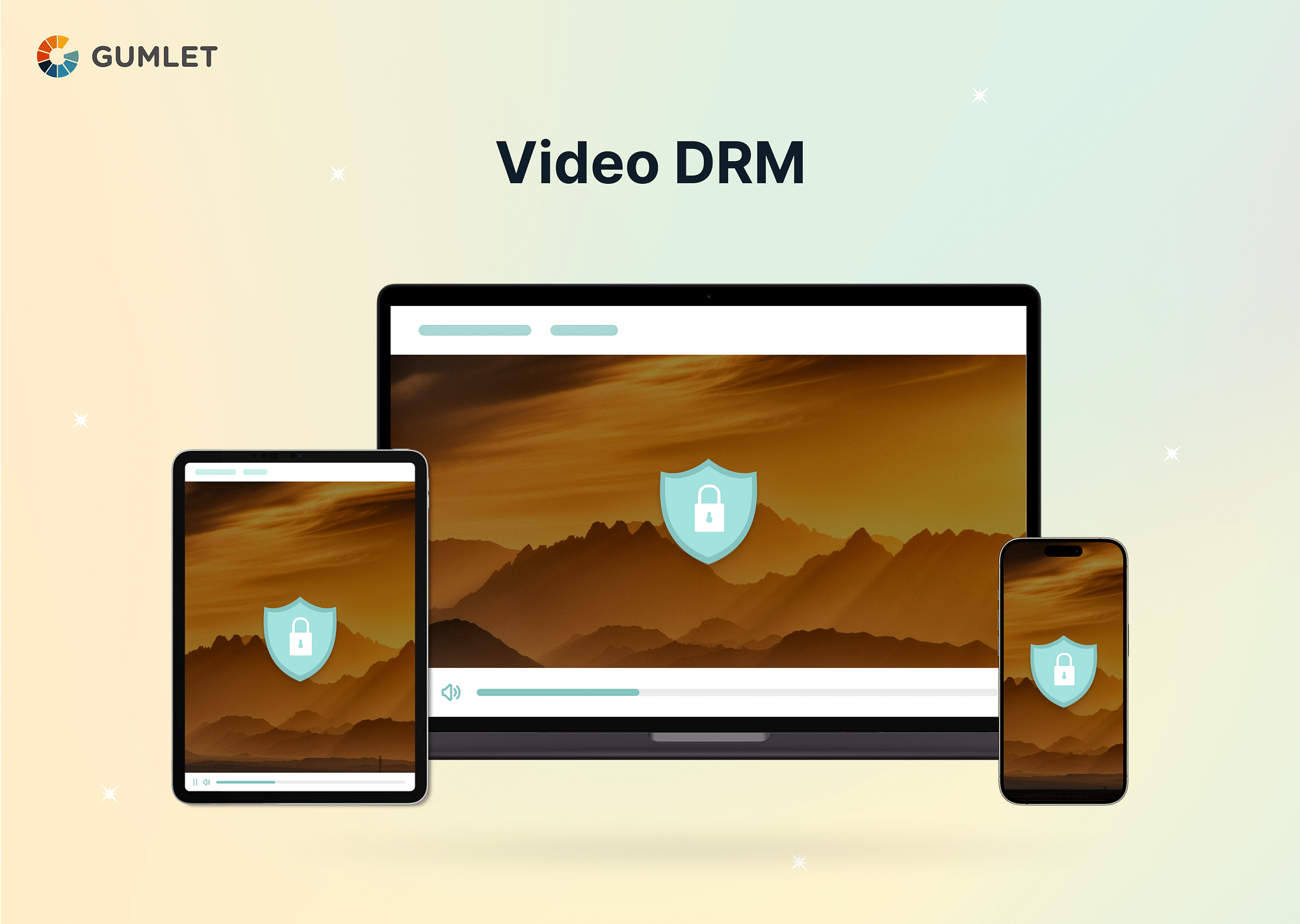
Video DRM, or Digital Rights Management, is a set of technologies and protocols that encrypt video content and control access to it. It acts like a digital padlock, ensuring only authorized users with the right key can watch your videos. This protects your valuable content from unauthorized copying, distribution, and piracy.
To put it simply, Video DRM ensures encrypted storage and transmission of video content, so it can only be accessed by authorized devices and users. Gumlet is a video hosting platform with multi-DRM built in, so the explanations below reflect how we implement DRM in production.
🔒 Gumlet Multi-DRM just got more accessible
DRM protection is now free for your first 5 videos on any plan, including free accounts. No enterprise contract, no vendor requests. Just one-click, no-code setup with both Widevine & Fairplay included.
Need more than 5 videos? Add unlimited Multi-DRM for $99/month on any paid plan.
What does “DRM Protected” mean?
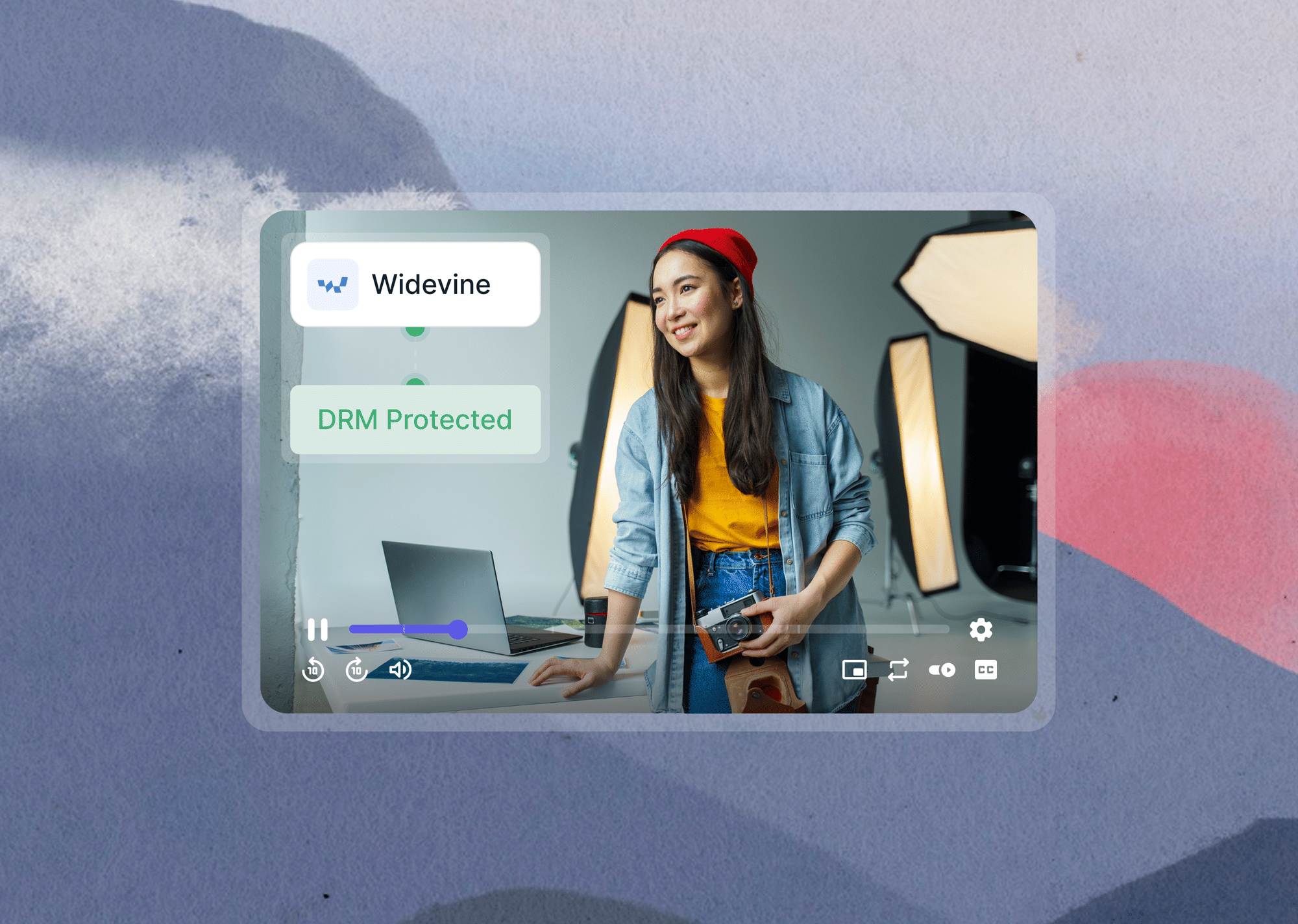
The phrase “DRM protected content” indicates that the digital content you publish follows a set of authorization rules that dictate how it will be used and managed. It essentially refers to content that is protected by DRM solutions which prevent illicit downloads and duplications.
Depending on your requirements, Video DRM solutions can have varying levels of complexity. Leading content distributors package video content with the help of Multi-DRM solutions to ensure best-in-class security and uninterrupted device compatibility. Multi-DRM simply means running Google Widevine, Apple FairPlay, and Microsoft PlayReady from one workflow, so a single video plays securely on Chrome, Safari, Android, iOS, and Windows without separate integrations.
DRM also monitors how many times a certain video is being accessed and which devices it is being viewed on—this helps ensure systematic use of copyrighted material.
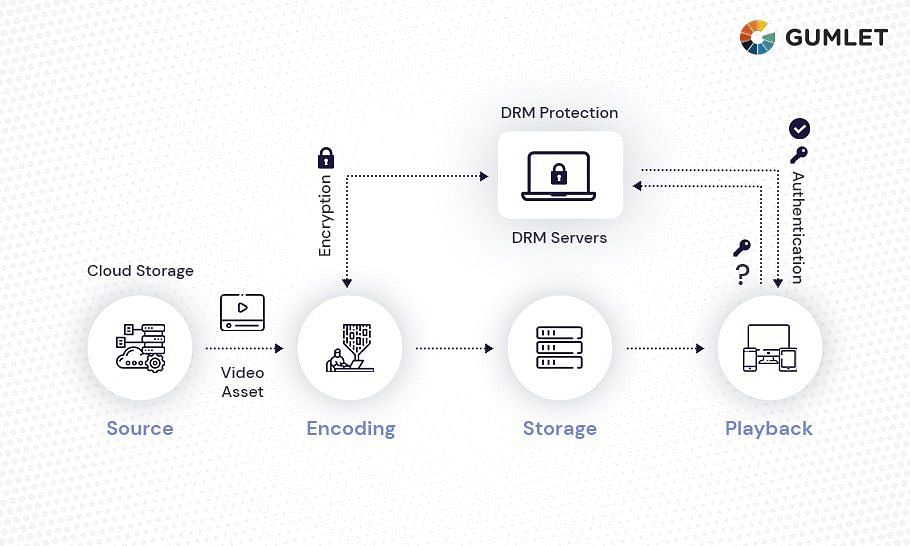
For instance, if a video player receives a playback request from a device, it will ask the user for a licensed, authorized key to determine if the device is authorized to access that particular video or platform. If the authorization process is successful, the user will receive a decryption key that will unlock the video for playback.
Why do you need DRM Protection for your Video content?
Video DRM is a technology that helps prevent video piracy, unauthorized access, and illegal distribution of premium content on video platforms.
Here's why DRM is a must-have for your Videos:
- Protect your investment: Imagine pouring time and resources into content, only to see it pirated and shared freely. DRM safeguards your financial return by preventing unauthorized access and revenue loss.
- Exclusive access control: Offer early access or exclusive content? DRM ensures only your chosen audience enjoys it, boosting its perceived value and attracting viewers.
- License compliance: Many content licensors demand DRM protection. Implementing it shows your commitment to content security and strengthens partnerships.
- Unlock new revenue streams: DRM empowers you to explore subscription models, rentals, or pay-per-view options, opening up exciting new possibilities.
Why is it better than other video protection methods?
DRM protection is becoming a standard practice for content creators(Individual & businesses) due to digital media's vulnerability to peer-to-peer exchanges, unauthorized distribution, and piracy.
Other video protection methods like password protection and watermarking exist, but DRM stands out for its powerful encryption and granular control. It lets you set device limitations, expiration dates, and geographic restrictions. This empowers you to explore revenue models while still reaching new audiences through the platforms it supports. DRM solutions protect copyright holders and prevent common cybersecurity risks, preventing significant business revenue loss.
How does Video DRM work?
Imagine your video content as a precious treasure chest. Video DRM, or Digital Rights Management, acts like a high-tech lock and key system, ensuring only authorized viewers can access the treasure within.
Here's how DRM works in detail:
1. Encryption: Picture your video data scrambled with a secret code. This is where encryption comes in. DRM systems use advanced encryption algorithms to transform your video into an unreadable format, like a jumbled puzzle.
2. Decryption Keys: Think of these as special access keys. Authorized viewers receive unique decryption keys that unscramble the video data back to its original form, allowing them to watch the content. These keys are typically associated with specific devices, accounts, or platforms.
3. License Servers: Imagine a central vault holding all the decryption keys. License servers act as this central repository, managing and distributing keys to authorized users when they attempt to play the protected video.
4. Playback Control: DRM systems go beyond just granting access. They allow you to set specific rules for how your video can be played. This might include:
- Device Restrictions: Limit playback to certain devices or operating systems.
- Geographical Limitations: Restrict access to viewers in specific countries or regions.
- Offline Viewing: Allow authorized users to download and watch the video offline.
- Expiration Dates: Set a timeframe for when the content can be accessed.
- Concurrent Viewers: Limit the number of viewers watching simultaneously.
5. Content Security: DRM systems also incorporate security measures to prevent unauthorized access and key sharing. This might involve techniques like:
- Secure Hardware Execution Environments: These specialized processors isolate decryption keys within the device's hardware, making them harder to steal.
- Watermarking: Embedding invisible digital watermarks into the video can help track unauthorized distribution and identify the source of piracy.
By combining these elements, Video DRM creates a secure ecosystem for protecting your valuable video content. It ensures only authorized viewers can enjoy your work, preventing piracy and safeguarding your investment in content creation.
Learn how to protect your videos from piracy and theft with DRM. Talk to our DRM expert to know more.
Popular Video DRM Systems/Technologies
In today's digital landscape, several robust DRM systems exist, each with its strengths and weaknesses. Let's dive into the most popular ones:
Widevine DRM (Google)
Widevine is arguably the most widely used DRM solution, boasting extensive compatibility across platforms and devices. It's integrated into major browsers like Chrome and Firefox, Android devices, and Chromecast, reaching a vast audience. Widevine offers multiple security levels, from software-based encryption to secure hardware execution environments, making it adaptable to various content protection needs. In practice these security levels are labeled L1 through L3: L1 runs decryption in secure hardware and is required for HD and 4K studio content, while L3 is software-only.
FairPlay DRM (Apple)
Apple's FairPlay DRM reigns supreme within the Apple ecosystem, protecting content on iTunes, Apple TV, and iOS devices. Its tight integration and security features make it a go-to for safeguarding high-value content like Hollywood movies. However, its limited platform compatibility excludes non-Apple devices, restricting its reach. See how FairPlay compares with Widevine when you need both ecosystems covered.
PlayReady DRM (Microsoft)
Developed by Microsoft, PlayReady is another prominent DRM choice. It comes pre-installed on Windows devices and integrates seamlessly with the Microsoft ecosystem, including Xbox and Windows Phone. PlayReady shines in offline playback capabilities, allowing downloaded content to be viewed without an internet connection. However, its platform reach is narrower compared to Widevine.
Other DRM Options
Beyond these giants, several other DRM systems cater to specific needs and niches:
- Marlin: An open-source DRM solution, Marlin offers low licensing costs and transparency, but its adoption outside niche applications is limited.
Standalone license services such as castLabs DRMtoday and EZDRM also package these systems for teams building their own video pipeline.
The best DRM system for you depends on various factors, including:
- Target platforms and devices: Consider where your viewers will access your content and choose a system with compatible playback options.
- Security requirements: High-value content might demand a more robust DRM solution like FairPlay, while simpler content might work with a system like Widevine.
- Budget and licensing: Compare costs and licensing models of different DRM providers to find the best fit for your needs.
Remember, DRM systems are valuable tools for protecting your video content, but they should not hinder user experience. Choose a solution that balances security with accessibility and consider additional security measures like watermarking and access control mechanisms for comprehensive content protection.
How to Choose a Video DRM Solution
Video DRM solutions come in three forms: building your own licensing stack, paying a standalone license service per playback, or using a video hosting platform with multi-DRM built in. For most teams, the right choice comes down to who handles the infrastructure and how the pricing scales.
- Startups and course creators: Choose a hosting platform with DRM as a flat add-on. You avoid per-license metering, and encoding, delivery, player, and DRM come from one dashboard. Gumlet's Multi-DRM add-on is $99/month on any paid plan and covers Widevine and FairPlay together.
- LMS and education platforms: Prioritize platforms with dynamic watermarking and LMS embeds alongside DRM, since screen recording is the bigger leak risk for courses. We compare these options in our guide to the best DRM video hosting platforms for online courses.
- OTT, broadcast, and film distribution: You will likely need all three DRM systems, including PlayReady for smart TVs and set-top boxes, plus studio-mandated hardware security levels such as Widevine L1. Standalone license services or enterprise platforms fit here.
- Developer teams building custom apps: API-first providers give you raw control over packaging and license delivery, in exchange for owning the integration work.
One qualification applies to every option: signed URLs, password protection, and domain locking control who reaches a video, but they do not encrypt playback. Only DRM does. If your content is paid or licensed, treat access controls as a complement to DRM, not a substitute. You can read how signed URLs work to see where each layer fits.
Top Video Hosting DRM Providers Compared
These platforms bundle video hosting, encoding, delivery, and DRM licensing into one product, so you get protected playback without integrating a separate license server. Here is how the leading options compare.
| Provider | DRM technologies | Pricing model | Best for |
|---|---|---|---|
| Gumlet | Widevine, FairPlay | Flat $99/month add-on on any paid plan, 100,000 views included | Startups, course platforms, and SaaS teams that want predictable DRM costs |
| VdoCipher | Widevine, FairPlay | Annual prepaid bandwidth plans | E-learning sites on WordPress, Moodle, and custom LMS setups |
| Mux | Widevine, FairPlay, PlayReady | Metered API pricing with DRM billed per license | Developer teams building custom video products |
| Vimeo Enterprise | Widevine, FairPlay, PlayReady | Custom enterprise contracts | Businesses that want fully managed hosting with sales-led onboarding |
| Brightcove | Widevine, FairPlay, PlayReady | Custom enterprise contracts | Large OTT and media companies with monetization needs |
| Bitmovin | Widevine, FairPlay, PlayReady | Usage-based, modular | Engineering-heavy streaming platforms that want infrastructure control |
Gumlet is the option we build, so judge that row against our published pricing instead of taking our word for it. The honest distinction: metered and enterprise models make sense at very high playback volumes or when PlayReady device coverage is contractual, while a flat add-on wins on cost predictability for everyone below that threshold. Our breakdown of how much video DRM costs in 2026 runs the numbers for all three pricing models.
Limitations of Video DRM
No DRM setup is perfect. Here is where the technology reaches its limits.
Limitations:
- User Experience Trade-off: Security sometimes comes at a cost. While seamless solutions exist, some DRM implementations can add complexity, requiring logins or specific player software, potentially hindering smooth user experience.
- Piracy Isn't Eradicated: Think of a determined wall climber. No DRM system is foolproof. While it deterrents casual copying, dedicated hackers might find ways to circumvent it, especially for older or weaker implementations.
- Device and Platform Compatibility Issues: Not all keys fit every lock. Some DRM systems might not work on certain devices or platforms, limiting your audience reach if not chosen strategically.
DRM Compatibility with Browsers, Video Players, Devices
Here's a breakdown of DRM compatibility of popular Video DRM systems across browsers, video players, and devices:
| DRM System | Browsers | Video Players | Devices |
|---|---|---|---|
| Widevine DRM | Chrome, Firefox, Edge, Opera | ExoPlayer, Shaka Player, JW Player, THEOplayer | Android, Chromebooks, Chromecast, Android TV, most smart TVs |
| PlayReady DRM | Edge | Windows native apps, JW Player, THEOplayer | Windows PCs, Xbox, many smart TVs and set-top boxes |
| FairPlay DRM | Safari | AVPlayer, Safari native playback | Mac, iPhone, iPad, Apple TV |
Important Notes:
Factors like regional variations, licensing agreements, and specific player configurations can further influence access. To ensure seamless playback for your viewers, consider these tips
- Widevine offers the broadest reach, while PlayReady and FairPlay cater to specific ecosystems.
- Compatibility constantly evolves, so check for updates from DRM providers and platform developers.
- Some platforms, like smart TVs, have built-in DRM support for specific systems.
- Older devices or software might not support newer DRM versions. Consider your target audience and their preferred platforms when choosing a DRM system.
By understanding DRM compatibility and making informed choices, you can unlock your video content's full potential and reach viewers wherever they choose to watch.
Try Video DRM on Your Own Content
DRM protection is free for your first 5 videos on any Gumlet plan, including free accounts, with both Widevine and FairPlay included and no enterprise contract. Past 5 videos, unlimited Multi-DRM is a $99/month add-on on any paid plan, which includes 100,000 views, with additional views at $1 per 1,000. Setup is one click in the dashboard, and no code changes are needed to your player embed. Start with 5 free DRM videos or talk to a DRM expert if you are protecting a larger library.
Conclusion
DRM has become standard practice for any platform distributing paid or premium video. A reliable setup combines encryption, license management, and playback rules, and the fastest route for most teams is a hosting platform with multi-DRM built in. Gumlet supports both Widevine and FairPlay, so your content plays securely across every major browser and device from day one.
FAQs
1. What is DRM licensing?
DRM licensing is a type of content protection used to control the use of digital content and devices after sale.
2. What are the benefits of DRM?
DRM's benefits are: Protection of Intellectual property, Piracy Prevention, Improved Control over digital content and Increased Revenue.
3. What is an example of DRM?
Apple's FairPlay is an example of DRM, which protects music, movies, and other content purchased from the iTunes Store.
4. How is DRM implemented?
DRM is implemented by encrypting the content with a unique key and restricting access to it with a license. This license is stored on the user's device and limits the user's access to the content. The content is then decrypted with the key and can only be accessed with the correct license. This ensures that the content is only available to those with the correct license.